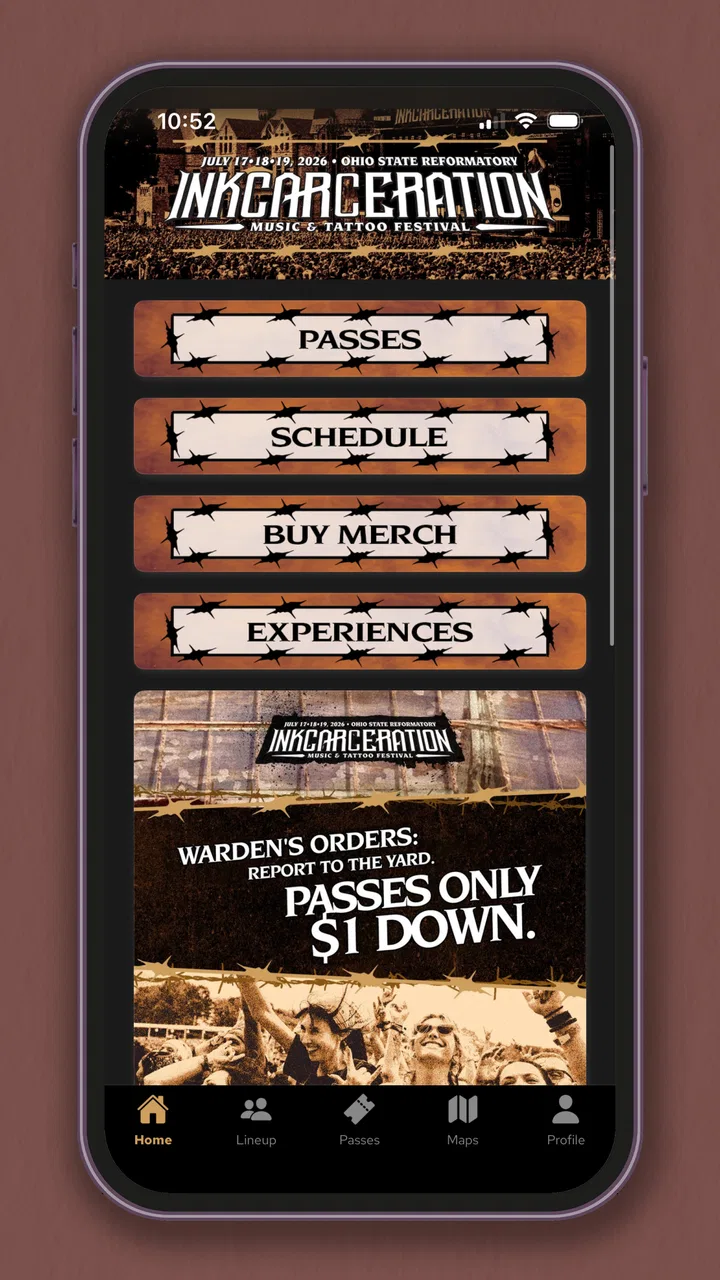
Inkcarceration Music Festival
- 4.4
- Rating
- 10.00K
- Installs
- Free
- Price
 Analysis by App-foxy
I approached Inkcarceration Music Festival as a practical event companion rather than something I would open every day. It is the official events app from Danny Wimmer Presents, built around Inkcarceration Music, and its value depends heavily on when you use it: before the festival, during the rush of planning, and while you are trying to make decisions on the move. That makes it a more specialized download than a general calendar or music-discovery app.
The app is free, carries a Teen content rating, and has reached over ten thousand installs. Its average rating is 4.4 from more than a hundred ratings, which suggests that many users find it useful, although the relatively focused audience means those numbers should be read as a snapshot of festival-goers rather than a universal measure of event-app quality. I tested it with one question in mind: does it reduce the small bits of uncertainty that make a festival day tiring?
Where the festival app can leave users stuck
The first thing to understand is that an official festival app is only as helpful as the information you need at that moment. Before attending, I found the main benefit in having festival-related material gathered in one place instead of switching between web searches, saved posts, screenshots, and messages from friends. That sounds simple, but it matters when plans change quickly and several people are trying to agree on what to do next.
You May Also Like

 Pandora - Music & Podcasts
Pandora’s Music Is Easy to Start, but Harder to Recover
Pandora’s strength is its low-effort path from a seed to a station. Its weak spot is how much confidence it asks you to place in connection, setup, and quiet recovery.

 8 Ball Pool
 Is Built on Rivalries, Rematches, and Routine
A close look at the rivalries, rematches, shared routines, and unanswered safety questions that turn a quick pool match into a persistent mobile community.

 Samsung Music
’s Quiet Strength Is Playing What You Already Own
Its reach comes less from spectacle than from dependable access to a personal library. That simplicity is both the app’s strongest retention engine and its ceiling.

 AccuWeather: Weather Radar
AccuWeather Review: A Quick, Clear Forecast for Everyday Decisions
For everyday plans, the best forecast is the one you can understand quickly. AccuWeather makes rain timing, radar, and local conditions easy to act on, with a few trade-offs.

 Hill Climb Racing
Why Hill Climb Racing Still Turns Crashes Into One More Run
A tiny car, a bumpy hill and one more upgrade: Hill Climb Racing keeps resurfacing because its simple chaos makes every near-miss feel personal.

 AliExpress - Shopping App
AliExpress Makes Global Shopping Feel Personal, but Shoppers Bear the Risk
AliExpress turns a global marketplace into a pocket-sized discovery engine. Its reach is useful, its shopping loop compelling, and its trade-offs easy to miss.
More From Our News Desk
View All News


The likely point of friction is expectation. Someone downloading it may expect a complete replacement for every other planning tool: a ticket wallet, a transport planner, a personal calendar, a messaging service, and a map for the whole surrounding area. I would not treat it that way. Its identity is much narrower. It is an official companion for Inkcarceration Music, so I judge it by how well it supports festival information and decisions, not by whether it behaves like a full travel platform.
That distinction also affects how I would use it with friends. I would not assume that everyone needs to stare at the app continuously. A better approach is for each person to check the information they personally need, then agree on a simple meeting plan outside the app. Festival groups often lose time because they try to coordinate every movement in real time. An event app can support that conversation, but it cannot remove the need for a clear fallback meeting point.
Another possible stumbling block is timing. An event companion can be most valuable close to the festival, yet that is also when visitors are more likely to be busy, distracted, or dealing with crowded networks. I would open it before leaving home, while I still have a reliable connection and enough time to read carefully. That small habit is more useful than waiting until I am already in a noisy crowd with a low battery and several decisions to make.
Why the official source matters
For this particular festival, the developer is Danny Wimmer Presents, so the app has a direct connection to the event rather than being a fan-made schedule reader. I prefer that distinction when checking information that could affect my day. A social post may be quicker to discover, but an official companion is the place I would check first when I want the event’s own presentation of its information.
That does not mean I would stop using common sense. I would still read notices carefully and avoid assuming that an item I saw earlier is unchanged. The app can make official information easier to find, but my travel arrangements, phone signal, and group communication remain separate concerns. Keeping those responsibilities separate prevents a small app problem from becoming a much bigger festival problem.
Setup checks that save time later
The app is listed as free and requires a device running at least iOS or Android version 10, depending on the platform. That requirement is modest, but I would check it before the day of the event rather than discovering an installation issue at the entrance. I would also make sure the operating system is stable, the app has finished updating, and there is enough free storage for a normal installation. Those are ordinary checks, yet they eliminate several avoidable surprises.
The current version is 30.0.5. I would not interpret a version number as a promise that every problem has disappeared, but it is a useful reminder to keep the installed copy current. Event information can be time-sensitive, and using an old build creates an unnecessary question: is the issue in the app, or am I looking at an outdated installation? Updating before travel gives me a cleaner starting point.
My preferred setup routine would be short. I would install the app while connected to a dependable network, open it once, and spend a few minutes learning where the information I care about is located. I would then close and reopen it so I know it launches normally. This is not about performing a technical test; it is about avoiding the first launch during the most stressful part of the day.
I would also take screenshots of only the details I genuinely need as a backup. That is not a criticism of this app specifically. It is a sensible festival habit because phones can run out of power, connections can become unreliable, and crowded environments are not ideal for troubleshooting. Screenshots should supplement the official app, not replace checking the latest information before leaving.
A useful pre-event routine
My practical routine would look like this:
Install or update the app at home, using a reliable connection.
Open the main event information and identify the parts that affect my own day.
Write down a simple meeting plan with friends instead of relying on constant messaging.
Keep a small offline backup of essential details, while treating the app as the primary reference.
Charge the phone and carry a power solution if I expect to be away for many hours.
The important insight is that I would not try to memorize everything. I would prepare around decisions: where I need to be, when I need to make a choice, and what information I may need when the phone is under pressure. This makes the app part of a workflow rather than another screen competing for attention.
Who will get the most from it
I think the strongest audience is a first-time attendee, a visitor arranging several festival days, or a fan who wants an official source instead of piecing together information from scattered channels. It is also useful for someone attending with friends but making their own schedule. In that situation, the app can help each person stay informed without forcing the group to move as one unit all day.
It is less compelling for someone who already has a fixed plan, knows the venue well, and only wants a basic reminder. That person may find a phone calendar and a few saved notes more convenient. I would also hesitate to recommend relying on it alone if the main need is transportation, accommodation, or detailed local navigation. A dedicated maps or travel app is better suited to those jobs.
Recovering when the workflow breaks
If the app does not open properly, I would begin with the least disruptive checks: close it, launch it again, confirm the phone has a connection, and restart the device if necessary. I would also confirm that the app is updated and that the operating system meets the minimum requirement. These steps sound basic, but they are the safest first response because they do not involve changing important phone settings or deleting information unnecessarily.
If a page appears slow, I would wait briefly and try again from a less congested connection. Festival crowds can create conditions that make many online services feel unreliable, even when the app itself is functioning normally. Switching between a dependable Wi-Fi connection and mobile data, where available, can help identify whether the problem follows the network rather than the application.
I would avoid repeatedly tapping the same control while waiting. That can create confusion if several requests eventually complete at once. Instead, I would return to the main screen, give the app a moment, and retry once. This is a small but valuable habit in any event app because rushed interaction can make a temporary delay look like a larger failure.
When information seems missing or different from what I remember, I would first refresh my own assumptions. Did I read an older post? Did I save a screenshot from a previous visit? Am I looking at the correct event area? I would compare the app’s current presentation with the official event communication available to me, rather than treating a single stale note as definitive. The app should be my starting reference, but careful reading still matters.
Keeping a backup without creating clutter
I like a layered approach. The official app stays available for current event information, while a few carefully chosen notes cover the things that would be difficult to reconstruct under pressure. I would save a meeting point, a travel confirmation, and any personal reminders that are not the app’s responsibility. I would not fill my phone with dozens of screenshots, because an overgrown backup folder becomes hard to search when I actually need it.
This is one of the more useful trade-offs with a festival companion: convenience improves when the app is current, but resilience improves when I prepare a small offline fallback. The two ideas are not opposites. I can use the app for the latest details and still protect myself against a dead battery, a weak signal, or an accidental app crash.
If reinstalling ever becomes necessary, I would first make sure I know which information I might lose locally and whether I have a practical backup. I would only take that step after closing the app, restarting the phone, checking the connection, and confirming compatibility. Reinstallation is a reasonable last resort, not my first reaction to a slow screen.
When the app is not the cause
Festival technology is affected by more than software. A crowded venue can make mobile data inconsistent. A bright outdoor screen can be difficult to read. A phone that has been recording video all afternoon may be hot or nearly empty. Friends may be standing in different areas, each with a different signal experience. In those situations, blaming the app immediately can lead to the wrong fix.
I would separate the problem into three questions. Can the app launch? Can the phone connect? Is the information I need actually available in the place I am looking? The first points toward the installation, the second toward the device or network, and the third toward navigation or expectations. That simple separation helps me decide whether to troubleshoot, move somewhere less congested, or use my prepared backup.
Battery management deserves special attention. I would lower unnecessary screen brightness when safe, close apps I am not using, and avoid leaving the event companion open continuously. Checking it at decision points is more efficient than keeping it active for hours. This is a concrete advantage of planning a few meeting arrangements in advance: I can spend less time using the phone and more time enjoying the festival.
I would also be cautious about treating a friend’s experience as proof of a universal issue. One person may have an older phone, another may be on a different network, and another may have a cached page available. If the app works for one person and not another, comparing devices and connections is more productive than immediately concluding that the service is down.
How it compares with ordinary alternatives
A general web browser is more flexible and may be the better choice when I need broad travel research, venue directions, or information outside the festival itself. A calendar is better for personal reminders. Group messaging is better for deciding where friends should meet. A maps app is better for the journey to and from the venue. None of those alternatives, however, is as focused on being an official event companion.
That focus is the reason I would keep this app installed for the festival period. I do not need it to replace my other tools; I need it to reduce the amount of searching involved in festival-specific decisions. The trade-off is that its usefulness is concentrated. After the event, a general-purpose app will probably earn more regular space on my phone.
The app’s Teen rating is also worth keeping in mind for families planning together. It is not a statement about whether every attendee will enjoy the event, but it gives parents a quick indication that the app is intended for a teen audience rather than very young children. I would still make attendance decisions based on the festival experience itself, not on the app rating alone.
My practical verdict after using it
I recommend Inkcarceration Music Festival to people who want a focused, official reference for planning their visit and checking festival-related information without depending entirely on scattered online posts. Its strongest quality is not that it tries to do everything; it is that it gives the event a dedicated place on the phone. For a first-time visitor, that can make the preparation process feel more organized.
I would use it with a simple plan: install it early, update it, open it before leaving, identify the information that affects my own schedule, and keep a small offline backup. I would not depend on it for every part of the trip, and I would not assume that a slow connection or a tired phone is automatically an app failure. Those boundaries make the experience more dependable.
There are better alternatives for personal calendars, maps, transport, and group chat, so this is not a universal utility. It is a specialized tool for a specialized occasion. If you are attending Inkcarceration Music and want the event’s official companion on a compatible device, the free download is an easy recommendation. If you only need a one-time reminder and already have all your plans settled, you may find it unnecessary.
My final view is positive, with realistic expectations: use the app as the festival information hub, not as your entire festival survival kit. That approach gives it room to be useful while protecting your day from the ordinary problems no app can solve.
FAQs for Inkcarceration Music Festival
01What is the Inkcarceration Music Festival app?
The Inkcarceration Music Festival app is a comprehensive tool designed for festival-goers to enhance their experience. It provides up-to-date information about the festival's lineup, schedule, and interactive map features. Users can also access artist bios, create personalized schedules, and receive instant notifications about any changes or special events.
02How do I download and install the Inkcarceration Music Festival app?
Downloading the Inkcarceration Music Festival app is simple. Visit the Google Play Store for Android devices or the Apple App Store for iOS devices. Search for "Inkcarceration Music Festival," select the app, and tap 'Install.' Ensure your device meets the app’s compatibility requirements for a smooth installation process.
03What features does the Inkcarceration Music Festival app offer?
The app offers several features to enhance your festival experience, including real-time updates, an interactive map to navigate the venue, and a customizable schedule to keep track of performances. It also includes social media integration and information on food vendors, merchandise, and other festival amenities.
04Is there a cost associated with using the Inkcarceration Music Festival app?
The Inkcarceration Music Festival app is free to download and use. However, standard data charges may apply depending on your mobile carrier's data plan. It's advisable to check with your provider to understand any potential costs for using data services while accessing the app at the festival.
05Can I use the Inkcarceration Music Festival app offline?
While the app requires an internet connection for the latest updates and notifications, many features, such as your personalized schedule and artist information, can be accessed offline. It's recommended to download important details and maps beforehand to ensure seamless access during the festival.
Pros
- User-friendly interface for easy navigation.
- Real-time updates on festival lineup and schedule.
- Interactive map for finding stages and amenities.
- Personalized schedule creation feature.
- Exclusive content and artist interviews.
Cons
- Requires constant internet connection.
- Limited offline functionality.
- Occasional app crashes reported by users.
- High battery consumption during use.
- Some features locked behind premium access.

Inkcarceration Music Festival
Gallery